

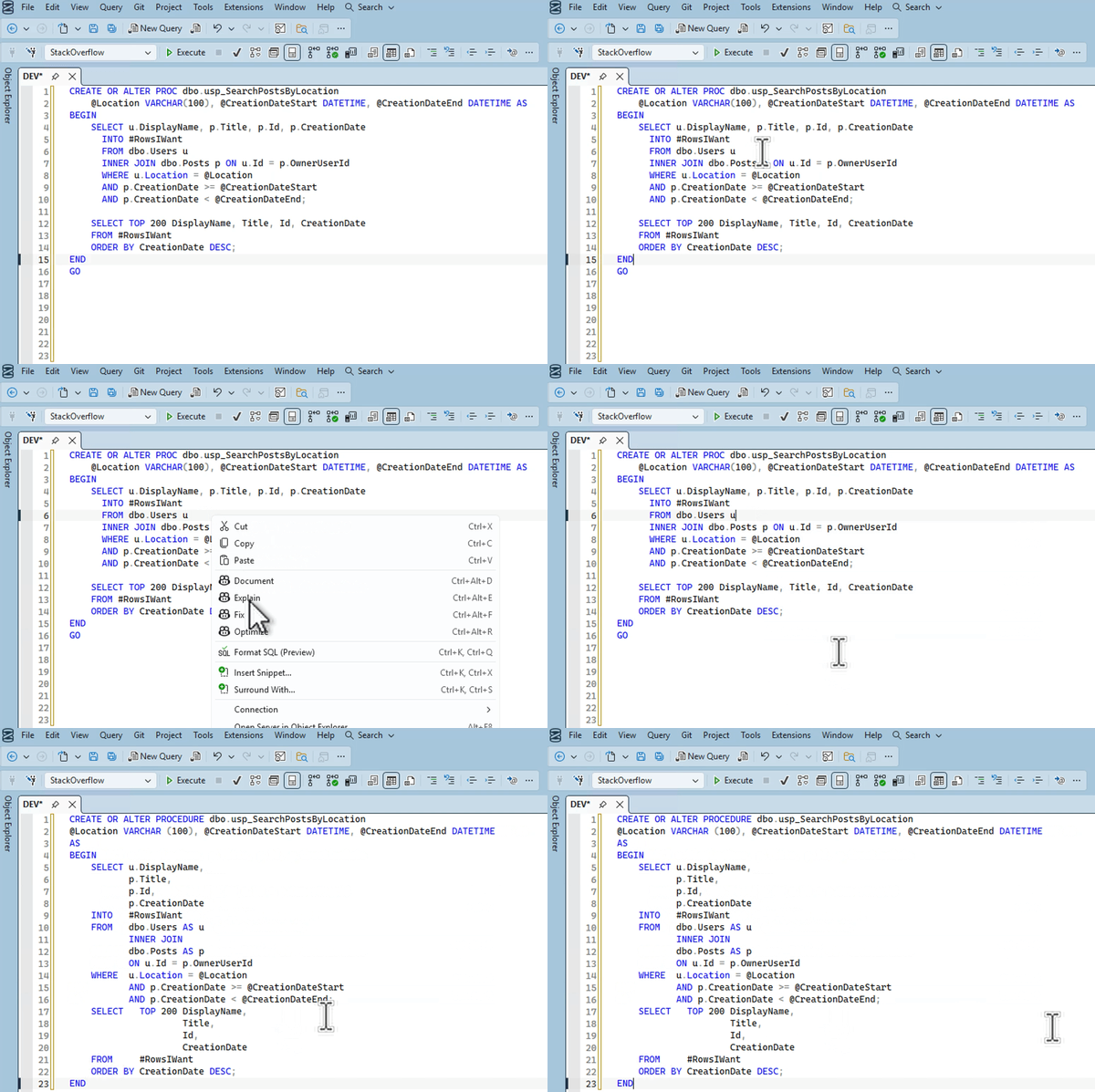
Microsoft SQL Server Management Studio 22.7 added the ability to format your T-SQL queries by right-clicking and clicking Format SQL, or by hitting control-K, control-Q on your keyboard:

You’re probably not going to like the default formatting out of the box because you’re the kind of person who has strong, passionate feelings and likes to argue about them on the Internet. Good news! The configurations are really flexible. Go into Tools, Options, SQL Formatter:
<img data-recalc-dims="1" loading="lazy" class="alignnone size-us_600_0 wp-image-358476" src="https://mssql.fr/wp-content/uploads/2026/06/formatting-options-1.jpg" alt="Formatting options, page 1"